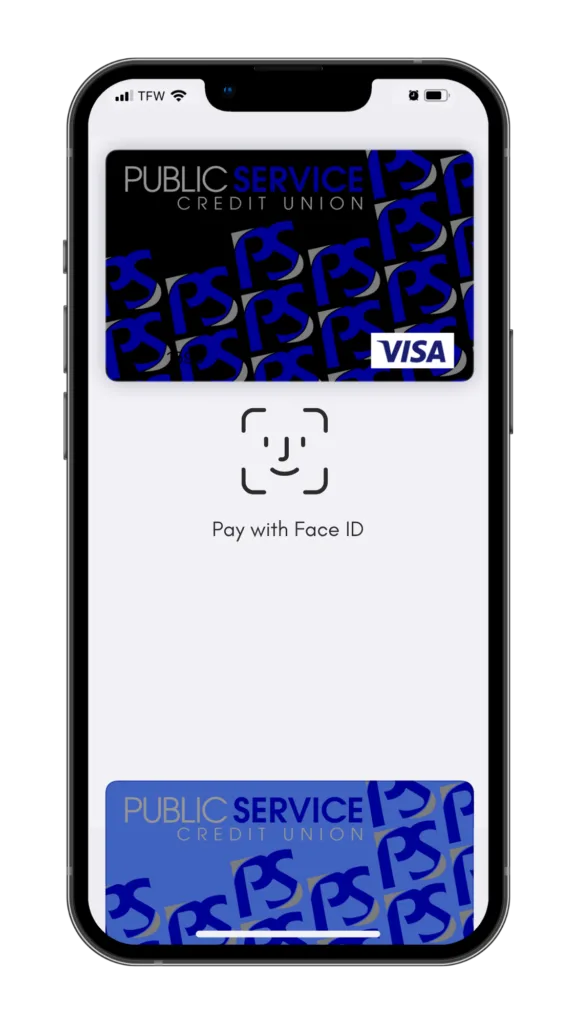



digital wallets
Securely add your Public Service Credit Union debit or credit card to your smartphone’s digital wallet and quickly check out when you’re shopping online or in store! Add your cards in Apple Pay, Samsung Pay or Google Pay. It’s easy, convenient and more secure!
Using your digital wallet for contactless payments is safer than swiping or entering your card number. Digital wallets use an encrypted token number so your card number is never transferred or stored with the merchant, meaning they are less likely to be compromised.
Most smartphones offer fingerprint Touch ID, Face Recognition or PIN security to keep the cards in your digital wallet protected even if your phone is lost or stolen. Learn more about each of the digital wallets offered below or call us at 260-432-3433.
You can put your wallet away. Apple Pay is here.
Now you can carry the Public Service Credit Union cards you keep in your wallet, without even bringing your wallet along. PSCU has joined the list of institutions participating in the highly anticipated Apple Pay service. And that means your transactions can be simpler, more secure and more private than ever.
Apple Pay is available most iPhone devices, and it’s free to use, apart from any message or data rates specified in your wireless plan. Once you’ve entered your cards into your phone’s Wallet app, you’ll be able to make purchases at thousands of merchant locations. Apple Pay also lets you use your iPad for online-only shopping within certain apps.
Apple Pay’s advanced technology works behind the scenes to make your purchases more secure than ever before. In participating stores, you just hold your phone near the merchant’s contactless reader, with your finger on the Touch ID sensor. That’s it. Not only do your name and card number remain anonymous to cashiers and bystanders, but your phone itself carries only a unique, encrypted Device Account Number rather than your actual debit or credit card numbers.
How easy is it to get started with Apple Pay? Just open your Wallet app, swipe down and tap the plus sign. Then enter your card by snapping a photo with your device’s iSight® camera, or adding the data manually. If you already have a card in iTunes, you’ll be prompted to add it to your Wallet. Start shopping with greater ease and confidence today.
Apple, the Apple logo, iPad Air, iPhone and iTunes are trademarks of Apple Inc., registered in the U.S. and other countries. Apple Pay, iPad Mini and Touch ID are trademarks of Apple Inc.
Simple to set up. Simple to pay. Welcome to Samsung Pay.
For users of many Samsung mobile devices, there’s now an easy way to go shopping and pay almost anywhere you can swipe or tap your card. The Samsung Pay app is compatible with select cards, carriers and Samsung devices. And it works in more stores than any other mobile payment service.
To use Samsung Pay, you simply swipe up from the bottom of your screen to launch the app. Secure your transaction with fingerprint authentication. Then hover your device close to the card reader, about half an inch over where you’d usually swipe or tap your card. A gentle vibration will let you know payment is being transmitted, and the card reader or cashier will confirm the payment is complete.
Because transactions are authorized with your fingerprint, you’re in control of when each payment is made. That’s also not the only way Samsung Pay makes shopping safer. Each transaction uses a dynamic token instead of your card number. In addition, embedded Samsung Knox technology ensures your device is constantly monitored for signs of malicious attacks or vulnerabilities. Even if your phone is ever compromised, your card information is still safely encrypted within a separate and secure data vault.
It’s quick and easy to add your cards, so you can start using Samsung Pay right away. Your device’s camera will scan in your card information for you to confirm. Secure your account with your fingerprint and a backup PIN, and in just a few minutes you’re ready to go.
Samsung Pay currently works with Samsung Galaxy S7, S7 edge, S7 active, S6, S6 edge, S6 edge+, S6 active and Note 5 devices. An over-the-air software update is required to download the free app, and availability may vary by service provider. Learn more at . And to download Samsung Pay to a compatible device, visit Google Play™.
Pay with your cards right from your Android™ device.
If you’re using an Android™ mobile device, there’s now a way to make shopping with your Public Service Credit Union cards easier than ever. Google Pay™ lets you seamlessly tap and pay with your device within apps, and at more than one million stores in the U.S. – with more locations being added every day.
To use Google Pay in a store, simply unlock your mobile device, hold it near the contactless terminal, and your payment will be complete. A notification with a receipt showing transaction details will arrive shortly afterwards.
Google Pay makes shopping more secure because it doesn’t send your actual credit or debit card number with your payment. Instead, it uses a digital account number that keeps your card details safe.
You’re also protected if you happen to lose your device. Log into the online Android Device Manager and you’ll be able to instantly lock your phone or tablet from anywhere. Android Device Manager lets you secure it with a new password or wipe it clean of all your personal information as well.
Google Pay works with all devices using Android 4.4 (KitKat) or higher, and which support NFC (Near Field Communication) and HCE (Host Card Emulation). Adding your cards to the app is easy. If your device doesn’t already have Google Pay installed, free downloads are available at Google Play™.
Google Pay works with all devices using Android 4.4 (KitKat) or higher, and which support NFC (Near Field Communication) and HCE (Host Card Emulation). Adding your cards to the app is easy. If your device doesn’t already have Google Pay installed, free downloads are available at Google Play™.